
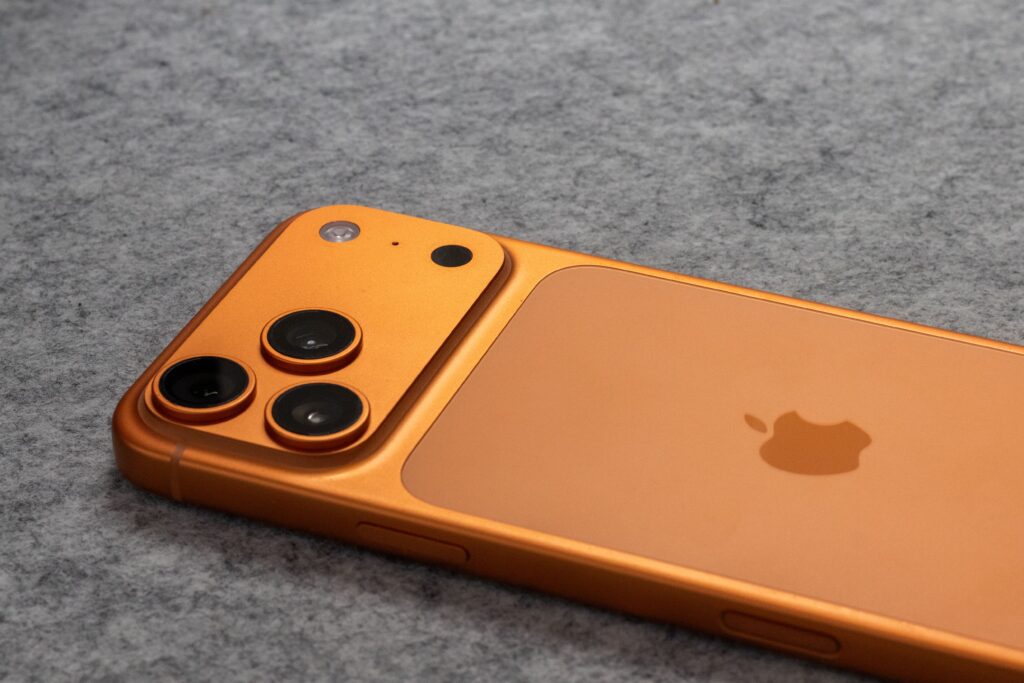
Phone 17 Pro White Turning Pink: Causes, Reality, and Fixes
The iPhone 17 Pro White turning pink has become a trending concern among users online. While the white model is known for its clean, premium, and elegant appearance, some users have reported a slight pink tint developing over time. This has raised questions about the device’s durability, finish quality, and whether it’s a real issue or just a visual illusion.
What’s Happening to the White iPhone 17 Pro?

In certain lighting conditions, the white finish of the iPhone 17 Pro may appear slightly pinkish. This is not always a permanent discoloration. In most cases, it is a temporary visual effect caused by lighting, reflections, or environmental factors. The device itself is not necessarily damaged, and the color shift is often subtle and only noticeable at certain angles.
This phenomenon is similar to how colors appear differently under warm indoor lighting versus natural daylight. Because the iPhone 17 Pro has a glossy and reflective surface, it can sometimes reflect surrounding colors, giving it a pinkish hue.
Possible Reasons Behind the Pink Tint
There are several factors that may contribute to the iPhone 17 Pro White turning pink issue:
1. Lighting Conditions
Artificial lighting, especially warm LED or yellow-toned lights, can make the white finish appear slightly pink or off-white.
2. Cleaning Chemicals
Using harsh cleaning products or alcohol-based solutions can react with the outer coating, affecting how light reflects off the surface.
3. Anodized Finish Reaction
The protective coating on the phone may react with environmental elements, causing slight visual changes over time.
4. Sunlight Exposure
Prolonged exposure to UV rays may alter the way the surface reflects light, leading to a faint pink tint appearance.
5. Heat and Moisture
High temperatures and humidity can impact the outer finish, especially if the phone is frequently exposed to such conditions.
6. Phone Cases and Accessories
Some low-quality or colored cases can transfer dye or create reflections that affect the phone’s appearance.
Is It a Real Problem?
The iPhone 17 Pro White turning pink is generally not considered a serious or widespread issue. It does not affect the performance, functionality, or internal components of the device. In most cases, it is purely cosmetic and often temporary.
Many users may not even notice this effect unless they closely inspect the device under specific lighting conditions. This suggests that the issue is more related to perception and reflection rather than an actual manufacturing defect.
However, if the color change appears permanent or becomes more noticeable over time, it may be worth consulting authorized service support.
How to Protect Your iPhone

If you want to maintain the original look of your iPhone 17 Pro White, here are some simple and effective tips:
-Avoid placing your phone face-down on rough or colored surfaces
-Remove your phone case occasionally to let the device breathe
-Keep your device away from chemicals like perfumes or sanitizers
-Clean your phone gently after exposure to sweat or moisture
-Do not leave your phone inside a hot car for long periods
-Use only recommended cleaning materials for electronic devices
-Keep your hands clean while using your phone regularly
-Avoid contact with dyed fabrics that may transfer color
-Wipe your phone immediately if it gets wet
-Store your phone safely when not in use
Final Thoughts
The iPhone 17 Pro White turning pink issue may sound alarming at first, but in reality, it is usually a minor and temporary visual effect rather than a serious defect. Most of the time, it is influenced by lighting conditions, environmental exposure, or surface reflections.
By taking proper care of your device and avoiding harsh conditions, you can easily maintain its premium look. If the issue persists or worsens, seeking professional support is always a safe option.
Overall, there’s no need to panic — your iPhone is still performing exactly as it should.
By: https://fathimathsuhanap.in/